Web Development
Website vs Web Application: What Does Your Business Actually Need?
Website vs web application explained for Indian businesses. Learn what you need before spending on a website, portal, app or custom software.
Choosing the wrong digital system can cost more than the development bill.
You can spend lakhs building a polished website and still have employees copying orders from WhatsApp into Excel every evening. Or you can commission a custom web application when a well-built website and a few existing tools would have solved the problem.
The expensive part isn't always building the wrong technology.
It's building the wrong solution and discovering it six months later.
Most businesses don't start with a complicated software requirement. They start with a website. Then the business grows.
Customers want to log in and see orders.
Dealers want to check stock.
The accounts team needs invoices and payment information.
Sales wants CRM integration.
Operations wants approvals and dashboards.
Management wants reports without asking someone to combine five spreadsheets.
Eventually, the original question, "How should our website look?" becomes:
"Do we need a web application, a customer portal, custom software, or something else?"
That is the decision this guide is designed to help you make.
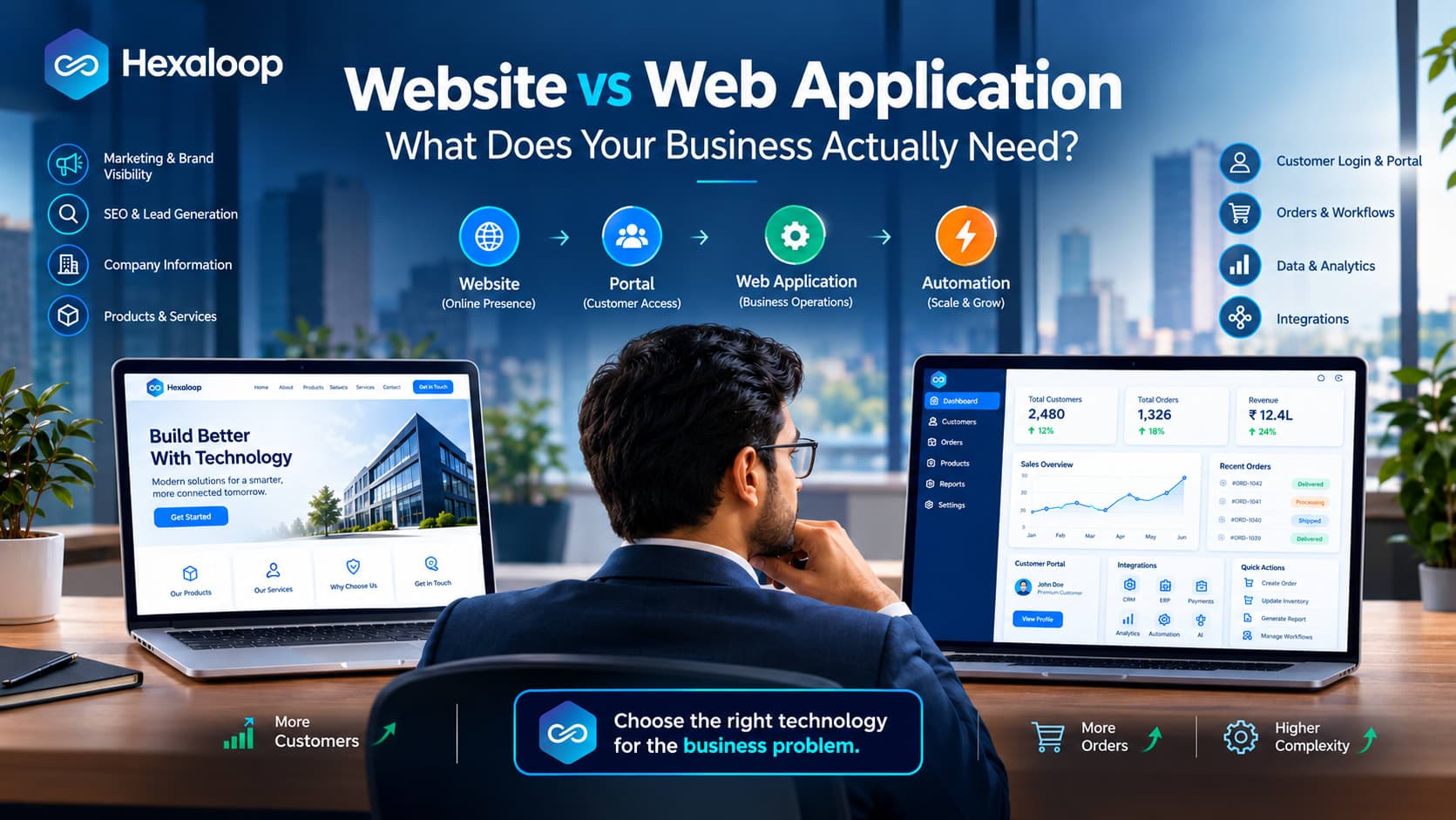
Website vs Web Application: The Simple Difference
A website is primarily built to help people discover, understand and trust your business.
A web application is built to help users perform tasks, work with data and complete business processes.
There is plenty of overlap. A website can have ecommerce, bookings, calculators and other interactive features. A web application can also have public pages that look like a normal website.
So the label matters less than what people actually need to do.
A website is usually about communication
A business website can help visitors:
Understand your company
Explore products or services
Read articles and resources
Find contact information
Submit enquiries
Request quotations
Build trust
Discover your business through search
Typical examples include corporate websites, manufacturer websites, consultancy sites, professional services websites, portfolios and marketing websites.
A web application is usually about action
A web application becomes useful when users need to repeatedly do something inside the system.
For example:
Log in
Place or manage orders
Track requests
Download invoices
Upload documents
Manage account information
View personalized dashboards
Approve requests
Raise support tickets
Manage inventory
Generate reports
Customer portals, dealer portals, CRM systems, booking systems, employee applications and SaaS products are common examples.
A simple test is useful:
If visitors mainly need to consume information, think website. If users need to repeatedly work with information, think application.
A Better Way to Think About the Decision: The Digital Workload Ladder
Here's a framework we use to make the decision easier.
Think of your digital requirement as four levels.
Level 1: Tell
"We need people to know about us."
Typical requirement:
Website + content + SEO + lead generation
The primary job is communication.
Level 2: Transact
"We need people to buy, book, enquire or submit something."
Typical requirement:
eCommerce website, booking system or lead-generation website with supporting functionality.
The website is no longer purely informational, but the workflow can still be relatively focused.
Level 3: Operate
"We need people to log in, manage information and complete repeated workflows."
Typical requirement:
Customer portal, dealer portal or web application.
This is where databases, permissions, dashboards, integrations and workflow logic become much more important.
Level 4: Coordinate
"We need multiple parts of the business to work together."
Typical requirement:
Custom software + integrations + automation, sometimes alongside a public website and web application.
This could involve sales, CRM, inventory, ERP, finance, support and management reporting.
Why this framework matters
The mistake is often moving from Level 1 straight to Level 4 because a vendor proposes "custom software."
Or staying at Level 1 and repeatedly adding features when the business has clearly reached Level 3.
The goal is not to reach the highest level.
It is to identify the level of digital workload your business actually has.
10 Signs Your Business Has Outgrown a Basic Website
You may already have the answer if several of these are happening:
Customers repeatedly ask for login access.
Employees depend heavily on Excel or Google Sheets.
Customers need to track orders, bookings or requests.
Staff enter the same information into multiple systems.
Different users need different dashboards.
Customers or dealers need self-service access.
Your website needs CRM, ERP or accounting integration.
Your processes involve multiple approval stages.
Manual work is slowing down growth.
You're considering several separate tools to solve different parts of the same workflow.
If three or four of these are familiar, don't automatically order a custom application.
Instead, map the process first.
You may find that a focused portal solves the problem. Or you may discover that the website is fine and the real issue is disconnected internal systems.
When a Website Is Enough
Not every business needs software behind a login.
A website can be the right investment for:
Local service businesses
Consultants
Professional services firms
Manufacturers mainly looking for enquiries
Restaurants needing an online presence
Portfolio businesses
Companies focused on content and SEO
Businesses building their first serious online presence
Suppose you're a consultant who needs service pages, an About page, useful articles, case studies and a contact form.
A custom web application isn't going to magically generate better leads.
Your money may be better spent on strong content, conversion-focused design, technical SEO and a reliable website platform.
Building an application you don't need creates another system to maintain, secure and eventually upgrade.
When a Web Application Makes More Sense
A web application starts earning its place when digital interaction becomes part of the business process.
Customer portal
A customer could:
Log in
View orders
Download invoices
Raise support requests
Track service requests
Manage account details
Dealer or distributor portal
A dealer could:
Place orders
Check stock
View applicable pricing
Track commissions
Download documents
Monitor order status
This is particularly relevant for Indian businesses with dealer and distributor networks where sales teams often end up handling routine status and order enquiries manually.
Employee application
Employees could:
Submit requests
Track tasks
Follow approval workflows
Access dashboards
Update business records
SaaS product
A SaaS business typically needs a public marketing website plus an application where customers can:
Sign up
Log in
Manage their account
Subscribe
Use product features
Manage their data
In all these examples, the system is doing operational work rather than simply presenting information.
India-Specific Considerations Before You Build
The technology decision can look different in an Indian business environment because existing processes often involve several systems and channels.
GST and invoicing
If orders, invoices or financial information are part of the application, clarify how the system will interact with your existing accounting or ERP setup and what GST-related information needs to flow through the process.
Don't assume that "we need an invoice" simply means adding a PDF download button.
The underlying workflow may be much larger.
Payment gateways
For online transactions, understand which payment flows are required and how they connect with order management, refunds, confirmations and your existing systems.
ERP and accounting integrations
Many growing businesses already use ERP or accounting software.
If your new portal or application needs information from those systems, integration should be considered during planning rather than added as an afterthought.
WhatsApp-heavy workflows
This is a particularly important reality for many Indian businesses.
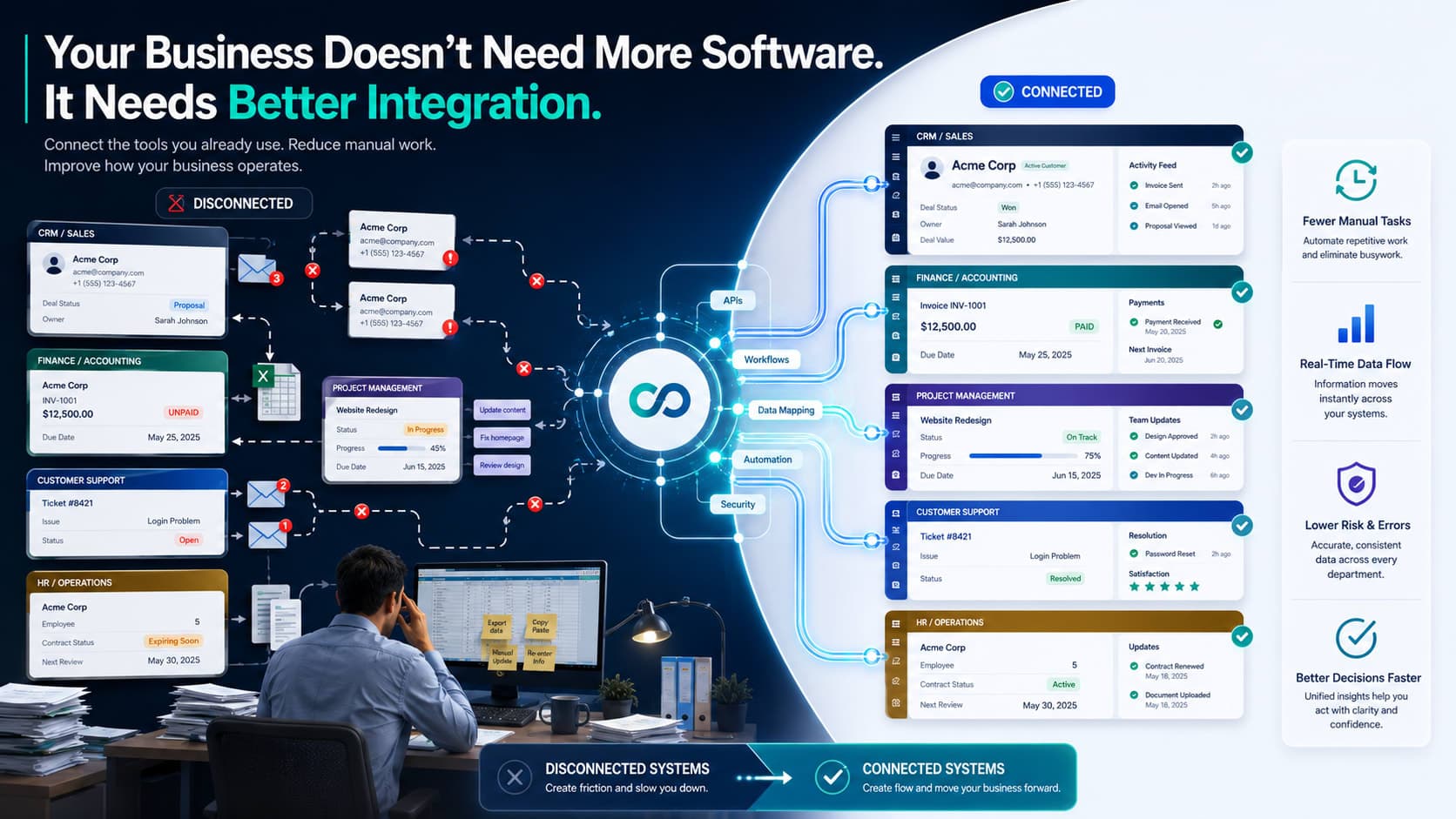
Customers may send an order request on WhatsApp. A salesperson may enter it into Excel. Someone else may update the ERP. Another employee may send the confirmation.
If that's your workflow, building a beautiful website won't remove the manual work.
The opportunity may be to redesign the process and automate the movement of information between systems.
Multiple languages
If your customers or field teams work across regions, consider whether the public website or application needs multilingual content.
This is easier to plan at the beginning than retrofit later.
The key point is simple: understand the systems and channels your business already depends on before deciding what the new system should replace, connect to or leave alone.
Website + Web Application: Why Businesses May Need Both
There is no rule saying your company has to choose one.
In fact, a combination is often the cleanest approach.
Consider a manufacturer with a dealer network.
The public website needs:
Product pages
Industry information
Case studies
SEO content
Enquiry forms
Dealers need:
Login
Product availability
Pricing
Orders
Invoices
Reports
Trying to make the public website perform both jobs can make the experience unnecessarily complicated.
A better structure could be:
Public Website
↓
SEO + Content + Lead Generation
↓
Customer / Dealer Login
↓
Portal / Web Application
↓
CRM + ERP + Payments + Internal Systems
↓
Automation
The public website attracts and informs.
The application handles authenticated users and operational tasks.
The systems underneath keep business information moving.
Website vs Web Application vs Custom Software
These terms are often mixed together, so here's the simplest way to separate them.
Website
Primary job: communication and marketing
Use it to present information, attract visitors, generate leads and support sales.
Web application
Primary job: digital interaction and workflows
Use it when users need to log in, manage information and complete repeated tasks.
Custom software
Primary job: specialized business operations
Use it when your business has complex processes, specialized rules, multiple integrations or requirements that standard software doesn't handle well.
There can be plenty of overlap.
A custom web application is still a web application. A customer portal can be a relatively small application. A large ecommerce platform can involve more engineering than some internal software projects.
Don't let terminology make the decision harder than it needs to be.
What About Mobile Apps?
A mobile app isn't automatically the next step.
It makes sense when the phone itself provides an important advantage.
For example:
Users interact with the product frequently.
Push notifications are important.
Device features are required.
Offline functionality matters.
The product is designed around regular mobile use.
But imagine a customer who logs in twice a month to download an invoice.
Requiring that customer to install an app may add friction without providing much benefit.
A responsive web application could be enough.
Website vs Web Application Cost in India
There is no responsible single price for either category.
The scope can vary enormously.
For a website, cost can depend on:
Number of pages
Design complexity
CMS
Content requirements
Ecommerce functionality
Forms
SEO requirements
Third-party integrations
Hosting
Maintenance
For a web application, the list can become much longer:
User accounts
Roles and permissions
Database architecture
Dashboards
Admin panels
APIs
CRM and ERP integrations
Payment gateways
Notifications
Workflow automation
Security
Testing
Scalability
AI functionality
Ongoing support
That's why website development cost in India and web application development cost in India should be discussed in terms of scope rather than a generic number.
A simple business website may cost significantly less than a custom web application because the engineering requirements are fundamentally different.
If you're reviewing proposals, ask for a module-by-module breakdown.
That gives you something meaningful to compare.
When Should You Consider Custom Software?
Custom software deserves consideration when standard tools are creating more problems than they solve.
Some common signals are:
Existing SaaS products don't fit your workflow.
Employees use several disconnected systems.
The same data is entered repeatedly.
Approval processes are complicated.
Your business has specialized rules.
Several systems need to share information.
You need centralized reporting.
Manual processes are becoming a bottleneck.
You need automation built around your exact process.
There is another important question to ask first:
Could you solve 80% of the problem with an existing SaaS product and a small amount of integration?
If yes, that may be the more sensible route.
Custom software gives you control, but it also means taking responsibility for development, security, maintenance and future changes.
How AI Automation Fits Into the Picture
AI can sit inside a website, web application or custom business system.
But don't start by asking, "Where can we add AI?"
Start with the repetitive work.
Potential use cases include:
Lead qualification
Customer support
Document processing
Internal knowledge assistants
Automated reporting
Data extraction
AI-powered search
Workflow automation
Recommendations
For example, if your team manually extracts information from hundreds of documents, automation could be useful.
If employees answer the same customer questions every day, AI-assisted support may be worth exploring.
If management spends hours preparing recurring reports, automated reporting may have a clearer business case.
AI only matters if it makes a real process faster, cheaper, easier or more accurate.
Common Mistakes Businesses Make
Choosing the technology first
"We need WordPress."
"We need an app."
"We need AI."
Those statements may be premature.
First identify the process and the outcome.
Picking the cheapest proposal
A cheaper proposal may simply contain fewer features or less engineering work.
Compare scope before price.
Building an app because competitors have one
Your competitor's app doesn't prove that your customers need one.
Look at your own usage patterns.
Forcing complex workflows into a website
If employees are moving information between Excel, WhatsApp, email and other systems, adding another website feature may only add another layer to the problem.
Ignoring integrations until later
If your application needs to communicate with an ERP, CRM, accounting platform or payment system, plan for that early.
Treating security as a final checklist
Security needs to influence architecture, access control, data handling and development from the beginning.
Forgetting ongoing ownership
Ask who handles hosting, updates, monitoring, security, support and future development after launch.
Adding AI because it is fashionable
If you can't explain what process AI will improve, you probably aren't ready to add it.
A Simple Final Decision Framework
By this point, you should be able to place your requirement somewhere on the digital workload ladder.
You probably need a website when:
Your main challenge is being found, understood and contacted online.
You probably need ecommerce when:
Customers need to browse products, place orders and pay online.
You should look at a portal when:
Customers, dealers or employees need secure access to their own information and a focused set of tasks.
You should evaluate a web application when:
Users need repeated workflows, dashboards, permissions, databases or integrations.
You should investigate custom software when:
The system needs to coordinate complex business processes that existing tools cannot handle well.
You should consider automation when:
People are spending significant time doing repetitive work that follows predictable rules.
You should consider a mobile app when:
Frequent mobile use, notifications, device features or offline capabilities justify having a dedicated app.
And sometimes the answer is a combination:
Website + Web Application + Integrations + Automation + AI
For a growing business, that combination can make more sense than trying to force every requirement into a single platform.
Frequently Asked Questions
What is the difference between a website and a web application?
A website primarily provides information, builds trust and generates actions such as enquiries or purchases. A web application allows users to log in, manage data, perform tasks and complete workflows.
Is a web application the same as a website?
No. Both can run in a browser, but their purpose is usually different. A website focuses more on communication and information, while a web application focuses more on user actions, data and workflows.
Does every business need a web application?
No. Many businesses need only a well-built website. A web application becomes relevant when customers, employees or other users need accounts, personalized information, data management or repeated workflows.
Is a website cheaper than a web application?
Generally, yes, but scope determines cost. A simple website usually requires less engineering than an application with databases, integrations, dashboards, permissions and workflows.
When should a business build a web app?
Consider one when users need to log in, perform repeated tasks, manage data, access dashboards, follow workflows or interact with other business systems.
Can WordPress be used for a web application?
WordPress can support many application-style requirements, but complex workflows, business logic, databases and integrations may require custom development or a different architecture.
Can I convert my existing website into a web application?
Yes. An existing website can be extended with login functionality, dashboards, databases, portals and integrations. Whether this is practical depends on the existing platform and the new requirements.
Website vs web app: which is better for a startup?
It depends on what the startup is building. A startup focused on marketing and lead generation may need a website, while a SaaS startup will usually need a marketing website alongside its product application.
How much does a web application cost in India?
There is no useful universal price. The cost depends on functionality, users, database requirements, integrations, workflows, security, payments, dashboards, scalability and support.
How long does web application development take?
It depends on scope. An application with a few straightforward workflows will require less development than one with multiple user roles, integrations, payments and complex business rules.
Should my business build a website or mobile app?
Look at usage. A website or responsive web application may be enough for occasional access. A mobile app becomes more useful when frequent use, push notifications, device capabilities or offline functionality are important.
What is better: custom software or SaaS?
Neither is always better. SaaS can be the sensible choice when an existing product fits the business. Custom software becomes more relevant when workflows are specialized or existing products don't meet the requirements.
When should a business replace Excel with custom software?
Consider it when spreadsheets have become difficult to manage, multiple people need the same information, data is entered repeatedly, approval processes are complicated or manual work is limiting growth.
Can a web application integrate with CRM or ERP?
Yes. Web applications can integrate with CRM, ERP, accounting, payment and other systems when appropriate integration capabilities are available.
Can AI be added to an existing web application?
Yes. AI can be added for use cases such as customer support, document processing, search, reporting, data extraction and workflow automation, depending on the application's architecture.
Final Takeaway
Choosing between a website and a web application isn't really a contest between two technologies.
A website may be exactly what your business needs.
A portal may solve a specific customer or dealer problem.
A web application may make sense when daily workflows need to move online.
Custom software may be justified when several systems and complex processes need to work together.
And sometimes the most practical setup is a combination of all of them.
Before you approve a development budget, take an hour and write down what your customers, employees and partners actually need to accomplish. Then map the systems, data and manual steps involved.
That exercise can prevent a very expensive mistake: paying to build a system that looks right on paper but doesn't fit the way your business actually operates.
Not sure where your requirement sits? Get a Website vs Web App Assessment.
The assessment should give you three concrete things:
A clear classification of your requirement: website, ecommerce, portal, web application, mobile app, custom software or a combination.
A feature and workflow map: what should be built now, what can wait, and which existing systems need to connect.
A practical technology direction: the likely architecture, major integration considerations and the questions you should resolve before requesting development quotes.
The goal is to help you avoid overbuilding, underbuilding or choosing a platform that becomes a limitation later.