Product Engineering
Custom ERP vs ERPNext vs Odoo: Which ERP Is Right for Your Business?
Compare Custom ERP vs ERPNext vs Odoo, including manufacturing features, customization, implementation costs, and how to choose the right ERP for your business.

Choosing an ERP is not simply a software purchase. It's a decision about how your business will manage its purchasing, inventory, production, sales and financial data as it grows.
The wrong system can end up creating more work than it saves. People may end up continually updating spreadsheets in parallel with the ERP, inventory records may be way out of date with actual production and customisation costs can easily end up exceeding the original budget.
For the business comparing custom ERP development, ERPNext and Odoo the problem is obviously finding the right solution for their own operations without adding on any extra complexity.
After 9+ years in the software industry I've learned one thing for sure: understand the business before you choose the software.
At Hexaloop one project that really drove this home was with a manufacturer of coolers who needed to link together the purchase of raw materials, the production of the coolers, the consumption of the materials, the finished inventory and the customer orders.
In this guide we compare Custom ERP, ERPNext and Odoo, look at the trade-offs and then explain how you go about choosing the right approach for your business.
Custom ERP vs ERPNext vs Odoo: Which Should You Choose?
Custom ERP development is worth evaluating when a business has specialized workflows that existing ERP platforms cannot support economically. ERPNext is a strong candidate when its open-source business modules fit the company's processes. Odoo is worth evaluating when its modular application ecosystem matches the required workflows.
For manufacturing businesses, the right choice depends on production requirements, inventory traceability, implementation effort, integration needs and total cost of ownership—not just the number of available features.
Custom ERP vs ERPNext vs Odoo: At a Glance
The main difference is how each option balances existing functionality, workflow flexibility, implementation effort, and long-term ownership.
Comparison factor | Custom ERP | ERPNext | Odoo |
|---|---|---|---|
Development approach | Software designed around defined business requirements | Existing open-source ERP platform | Modular business application platform |
Standard functionality | Depends on what is developed or integrated | Integrated business modules | Broad application ecosystem |
Manufacturing workflows | Can be tailored to the required processes | Established manufacturing functionality | Established manufacturing functionality |
Customization | Depends on architecture, scope, and budget | Configuration, extensions, and custom development | Configuration, modules, and custom development |
Initial investment | Depends on development scope; building from scratch can require substantial investment | Depends on implementation, hosting, support, and customization | Depends on edition, applications, implementation, and customization |
Implementation time | Depends on requirements and development complexity | Depends on workflow fit and implementation scope | Depends on workflow fit and implementation scope |
Licensing | Depends on ownership agreements and third-party components | Core software is open source under GPL-3.0 | Community and Enterprise have different terms |
Maintenance | Requires a defined internal or external support arrangement | Requires administration, updates, and support | Requires administration, updates, and support |
Best starting point | Specialized requirements that justify a tailored solution | Business processes that align with ERPNext | Business processes that align with Odoo |
These distinctions are starting points, not fixed rules.
ERPNext and Odoo are able to handle complex operations if they are configured properly, whereas a custom ERP needs careful planning to avoid unnecessary development and maintenance costs. You should evaluate each option with your real workflows before deciding.
Choose the simplest system that manages your daily operations without exceeding your implementation budget or causing long-term maintenance problems.
What Is Custom ERP Development?
Custom ERP software is developed around a business operational requirements rather than depending on an existing predefined workflows.
The system can integrate purchasing, inventory, production, sales, accounting, reporting, and other business functions depending on the actual scope.
Let us take the case of a company that makes air coolers. Its operations could include keeping track of metal sheets, plastic parts, electrical components, motors, and other materials; assigning the production tasks on a daily basis; recording the amount of materials used; and keeping an eye on the finished units.
Custom ERP software can be a suitable option when a business needs specialized workflows, integrations, or reporting that existing platforms cannot support economically. However, building a system from scratch is not always necessary. Businesses should first evaluate their operational requirements and available solutions before investing in custom business software development.
A Custom Software can be constructed to deal with these particular processes and can provide employees with the screens and actions that are relevant to their roles.
Advantages of custom ERP
1. More control over workflows
The software can be designed around specialized production stages, approval rules, material tracking requirements, and reporting needs.
2. Role-specific user experience
Proper panel can be provided to warehouse staff, production workers, sales teams, and managers according to their specific roles.
3. Business-specific reporting
As long as all the data is stored in databases, the system can calculate and generate the operational reports that management needs.
4. Tailored integrations
Custom development has the ability to connect the ERP with existing business applications, customer portals, e-commerce systems, or with specialized operational tools.
Limitations of custom ERP
Development cost: Requirements analysis, design, development, testing, and deployment all need resources.
Implementation risk: If the requirements is unclear and scope changes, this can increase the development costs and delays in delivery.
Maintenance: Require proper planning for Hosting, security updates, backups, bug fixes, and any future enhancements.
Technical continuity: It is essential to have project documentation, access to the source code, the transfer of knowledge, and the establishment of support arrangements.
Long-term ownership: the company needs to know who controls the software, the data, the infrastructure, and any future development.
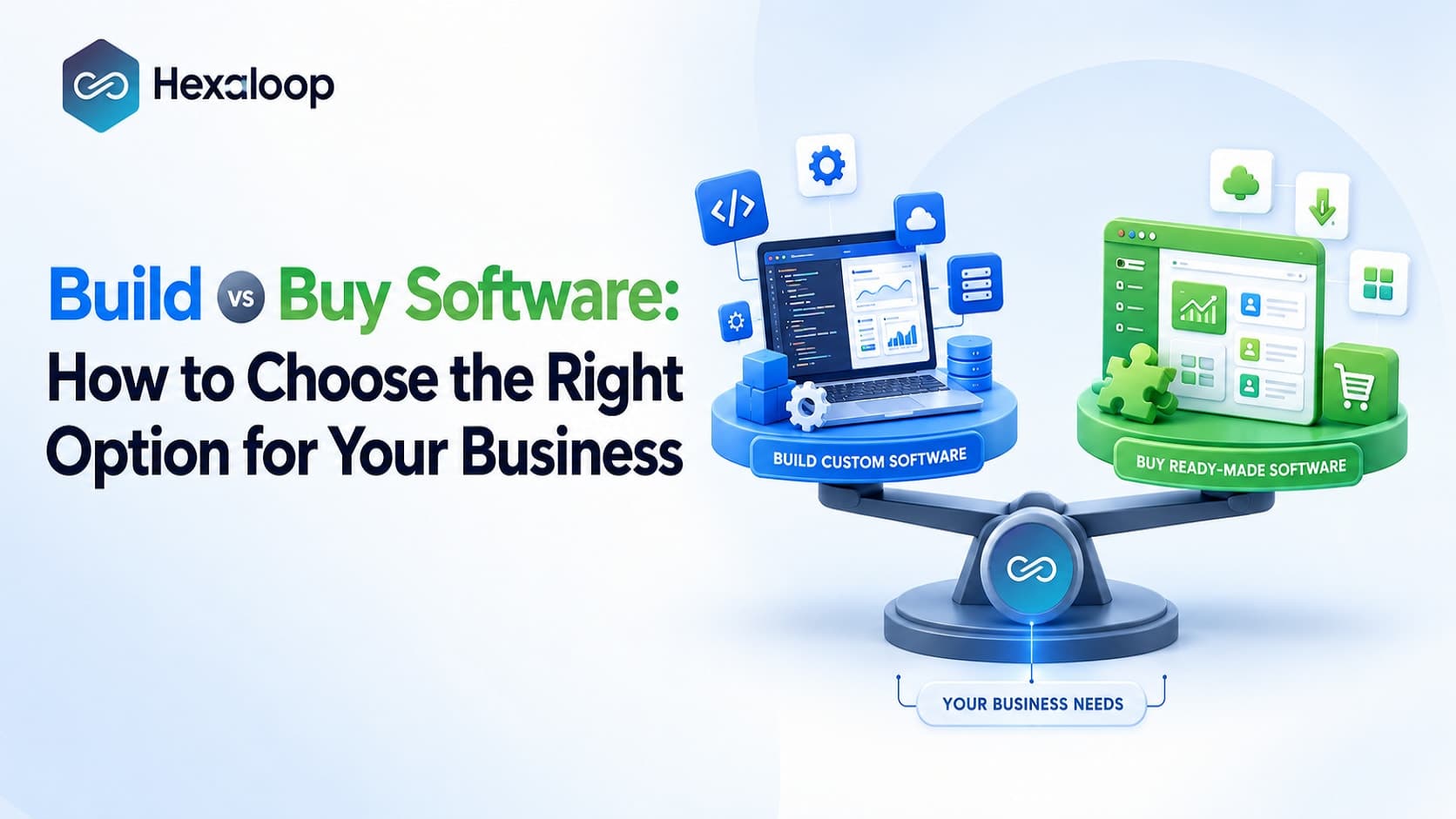
Before committing to a custom solution, businesses should evaluate whether building software from scratch is justified or whether an existing platform can meet their needs. Our guide to build vs buy software explains the key considerations involved in making that decision.
What Is ERPNext?
ERPNext is an ERP platform that is open source and is based on the Frappe Framework; it provides a range of integrated business applications which include accounting, purchasing, inventory, sales, manufacturing, projects, and assets.
The equipment has the capability of producing bills of materials (BOMs), work orders, job cards, and production plans.
For a manufacturer these capabilities can be used to link material requirements with production activities and inventory records.
Advantages of ERPNext
Open-source foundation: The main software is available under the GPL-3.0 license, following its rules.
Configuration and extensibility: Businesses have the option of configuring the existing features and developing extensions.
Deployment flexibility: It is possible to have both self-hosted and managed hosting options.
Manufacturing support: The current functionality includes a number of standard requirements for production and for tracking materials.
Limitations of ERPNext
ERPNext still needs to be carefully implemented, especially in the case where a manufacturer's processes differ from the standard manufacturing procedures.
For instance, a business which has unusual rules regarding the use of components, requires specialised production approvals, or has complex requirements in terms of material traceability should carry out tests of these situations before going ahead with implementation. In cases where the necessary workflows cannot be achieved using the existing features and with a reasonable degree of configuration, custom development will be needed.
What should be considered is not whether ERPNext can be customized, but whether the costs and the continued maintenance of such customizations are worth it when compared to other methods.
Open-source licensing does not get rid of the costs of implementation. Hosting, data migration, support, training, administration, and customization can represent a significant part of the total investment.
For Indian businesses, it is necessary to check the specific GST, e-invoicing, e-way bill, accounting, and reporting requirements that apply to your business operations rather than supposing that the standard installation covers all of them.
Consider ERPNext if your requirements and the remaining can be addressed economically.
What Is Odoo?
Odoo is a business management platform composed of a number of modules which provide applications for use in manufacturing, inventory management, purchasing, sales, accounting, customer relationship management, e-commerce, and for other business activities.
Its manufacturing capabilities include manufacturing orders, work orders, bills of materials, work centers, and production reporting. Available functionality depends on the version, edition, applications, and configuration selected.
Advantages of Odoo
Broad application ecosystem: Various business functions can be integrated within a single platform.
Modular implementation: Businesses can pick the relevant applications and expand as requirements change.
Established manufacturing functionality: It is possible to carry out standard production processes without having to start from scratch.
Customization options: specific business requirements can be met through configuration and by using additional modules.
Implementation ecosystem: Partners and developers who can offer specialist implementation and extension services.
Limitations of Odoo
The commercial terms and the features available in Odoo depend on the edition, the subscription agreement, the deployment model, and the applications that are chosen.
Because extensive customisation can lead to higher implementation costs and make future upgrades more difficult, particularly when important manufacturing workflows rely on third-party modules or applications that have been greatly altered.
For instance, if a manufacturer needs special production sequencing, nonstandard rules regarding material consumption, or closely integrated shop-floor workflows, it should check how much of the process can be carried out using the standard Odoo features. It is necessary to identify any third-party modules, custom code, or external integrations that are required and to determine who will be responsible for maintaining them.
For Indian businesses, confirm the applicable accounting and statutory localization features, integrations, and current compliance requirements before committing to an edition or implementation plan.
Odoo should be considered if the application ecosystem suits your business and the changes needed can be delivered without involving excessive complexity or cost.
Which ERP Is Best for Manufacturing Businesses?
For manufacturers, the most important comparison is not between features. It is between the ability of ERP software to support an entire business process.
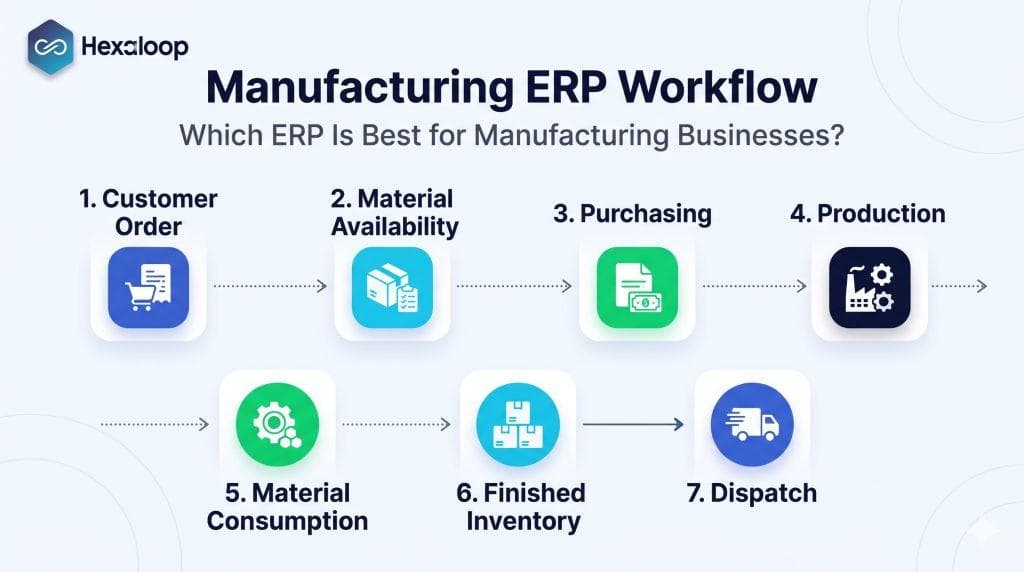
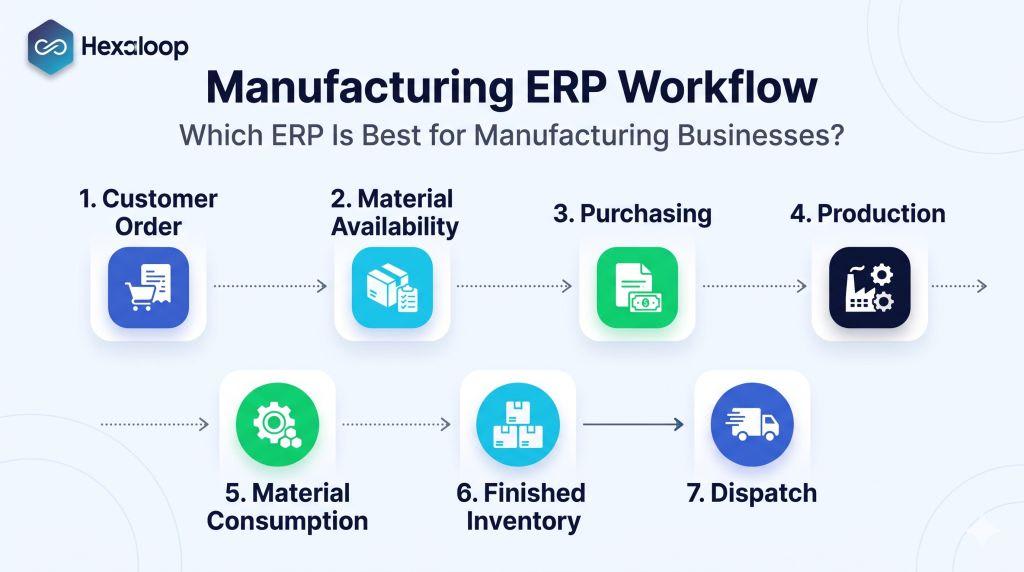
A process in manufacturing typically includes the following steps:
A customer places an order.
The business checks the availability of finished goods.
The production team analyzes the production requirements for the materials.
The purchasing team acquires missing materials.
Employees finish the production jobs
The process tracks material consumption and wastage, and production progress.
The finished goods are available for customer orders.
The sales and management teams receive updated production information.
A demonstration should emphasize an ERP’s ability to support the flow of information and tasks throughout the process, including corrections and exceptions.
Manufacturing requirements checklist
Requirement | What to verify |
|---|---|
Raw material tracking | Receipts, issues, returns, stock adjustments, units of measurement, and component traceability |
Production planning | Work orders, job assignments, planned versus completed quantities, and production stages |
Material consumption | Bills of materials, actual consumption, wastage, and stock reconciliation |
Work-in-progress | Visibility into unfinished production and outstanding jobs |
Finished inventory | Completed quantities, available stock, reservations, and dispatch readiness |
B2B and B2C sales | Required pricing, ordering, fulfillment, and invoicing workflows |
Employee reporting | Work completion, task status, and meaningful productivity indicators |
Management reporting | Inventory discrepancies, production delays, material usage, and operational costs |
Integrations | Connections to existing accounting, sales, logistics, or other business applications |
Security and continuity | Permissions, audit trails, backups, recovery, and maintenance responsibilities |
Not every manufacturer requires the same information or approach. For example, some manufacturers may require batch tracking and serial numbers while others do not.
Define your requirements based on the potential impact of poor information and the likelihood of special cases.
The most important question
Can ERPNext or Odoo support your manufacturing workflows, given the required configuration and customization?
If so, choose an established platform.
If critical processes require excessive complexity or customization, consider custom development or a hybrid approach.
A Custom ERP Delivered for a Cooler Manufacturing Company
At Hexaloop, we have recently delivered a custom ERP for a cooler manufacturing company in India that needed to improve procurement, production, inventory, and sales management.
The company catered to B2B and B2C clients. It used Excel for purchasing and much of its inventory management, and paper for assigning production jobs before entering the information into spreadsheets.
The primary issues the company faced were:
Limited component traceability: Major raw materials could be tracked, but smaller components were not effectively traceable.
Duplicate administrative work:Production jobs were assigned on paper before being entered into Excel.
Delayed operational visibility: The spreadsheet information could lag significantly behind actual production.
Difficult expense and wastage tracking: Managers struggled to obtain information on material consumption, shortages, expenses, and production staff completion.
The company also needed an improved process and software that was more appropriate to its operational needs than the software it previously used.
How the custom ERP addressed the workflow
Hexaloop developed a custom ERP solution using an ASP.NET MVC backend, a React.js frontend and MSSQL Server database.
The implementation connected several operational activities:
Purchasing: Purchasing orders were recorded in the software.
Material tracking: The application tracked major and minor material consumption.
Production: Dashboard for daily production monitoring and employee work tracking.
Finished inventory: The software tracked inventory of finished coolers and recorded in software.
Sales: Sales operations were integrated with production and inventory.
Reporting: The management reviewed employee production and operational information.
Inventory visibility is an important part of connecting purchasing, production and sales operations. You can also explore Hexaloop's inventory management system project to learn more about our work on business applications for inventory and order management.
The application took six to twelve months to implement, a timeline that does not reflect an industry-standard estimate.
Before-and-after metrics
To establish the benefits of the application, it is necessary to review metrics related to the performance.
For example, how often did inventory inaccuracies occur before the application and after? How many hours were spent on manual data entry prior to implementation versus after? How many hours did it take to compile production reports?
It is not possible to provide figures, but if such metrics were available, they would most likely reveal the extent to which the application had improved these processes.
The employees observed reduced manual data entry, reduced duplication of documentation, and improved traceability of materials, inventory, and production completion.
Managers obtained improved information on expenses, inventory, and production staff activities.
According to the company, sales and revenue increased approximately one year after system implementation. However ERP contribution to this growth cannnot be established without verified financial data and an analysis of other contributing factors.
The case study suggests that it is possible for an integrated system that covers purchasing, production, material consumption, finished inventory, and sales to resolve some issues caused by the lack of integration.
A business with similar problems should analyze an established ERP’s ability to produce similar results before pursuing a custom application.
Should You Customize an Existing ERP or Build a Custom One?
An organization can adopt a hybrid approach that uses ERPNext or Odoo for some activities and custom applications for others.
For example, a manufacturer could use an established ERP for accounting, purchasing, and inventory and a custom application for production planning.
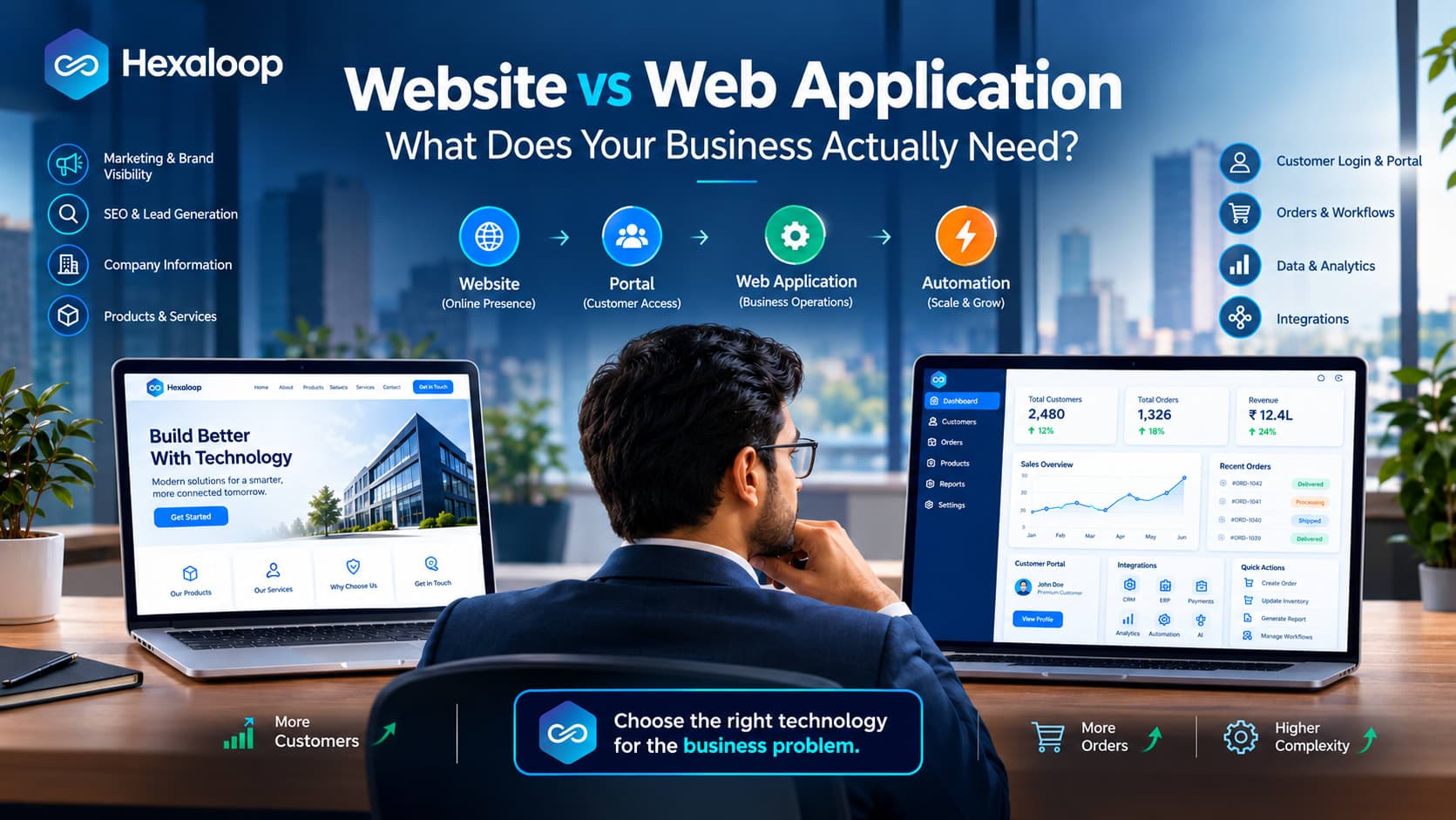
A hybrid approach also requires a clear understanding of how different applications exchange data and support business processes. Read our guide to custom business applications and ERP integrations to understand when a dedicated application may be appropriate for your business.
A custom application could support a unique production planning process. This hybrid approach can provide the advantages of both solutions.
Use the following decision matrix as a general guide:
Business situation | Best option to evaluate first | Reason |
|---|---|---|
Standard accounting, purchasing, sales, and inventory | ERPNext or Odoo | Existing functionality may cover most requirements |
Need for an open-source ERP foundation | ERPNext | Core software is open source under GPL-3.0 |
Need for a modular application ecosystem | Odoo | Applications can be selected according to business needs |
Specialized production workflow that existing systems cannot support economically | Custom ERP or a hybrid approach | Tailored development may address critical gaps |
Existing ERP covers most processes but one application needs specialized functionality | Hybrid approach | Avoids rebuilding standard business functions |
Unclear requirements or poorly documented processes | Requirements assessment first | Software selection should follow process discovery |
These recommendations are suggestions and may not apply to every business.
The choice ultimately depends on the exact nature of an organization’s production process, the edition and version of the application, the quality of implementation, and the overall costs.
Three questions to answer before deciding
1. How much functionality does an existing product already provide?
Create a list of essential processes and test them in the selected ERP. Distinguish missing critical functionality from minor preferences.
2. What is the business impact of missing functionality?
A cosmetic report change is different from an inventory problem that repeatedly delays production or affects order fulfillment.
3. What will each option cost over time?
Implementation, customization, operation, upgrades, internal administration, and potential losses should be reviewed alongside the initial cost.
If your business is still comparing platforms, document the essential workflows, integration requirements, implementation risks and long-term costs before making a decision. Hexaloop's ERP technology assessment and vendor evaluation can be a relevant starting point for businesses that need help evaluating their software options.
Before finalizing any agreements for custom application development, define the problem it is supposed to solve and the benefits it is supposed to bring. Establish criteria for measuring results.
How Much Does ERP Cost? Compare Total Ownership Costs
It is difficult to recommend a single solution without understanding the potential costs.
The costs of a custom application, ERPNext, and Odoo depend on the users, processes, integration, data, customization, and support.
A custom application typically involves a substantial investment in its development.
An ready-made solution may reduce the need to develop certain functions, but its implementation and support may be expensive.
It is important to equalize the comparison by reviewing the costs of each alternative over a specific period, such as three to five years.
Costs to include in your comparison
Cost category | What to investigate |
|---|---|
Software or licensing | Development agreements, subscriptions, user charges, edition restrictions, and third-party components |
Implementation | Requirements analysis, configuration, development, testing, and deployment |
Data migration | Data cleanup, mapping, import, and validation |
Customization | Additional modules, specialized reports, integrations, and future changes |
Training | Employee onboarding, documentation, and change management |
Infrastructure | Hosting, storage, monitoring, and backups |
Maintenance | Bug fixes, security updates, upgrades, and support |
Internal administration | Staff time spent managing and maintaining the system |
Transition risk | Potential disruption and temporary productivity losses |
A realistic comparison should include total cost of ownership (TCO) over a specific period, typically between three and five years.
The TCO assumes the following formula:
TCO = Initial implementation cost + recurring costs + future enhancements + internal operating costs.
The same set of users, requirements, and support should be applied to each option, and the benefits should be reviewed in relation to those inputs. If the expected outcome is faster reporting or reduced inventory discrepancies, tie those benefits to reductions in administrative costs.
Delayed inventory updates or the inability to track certain materials may add to administrative costs rather than reduce them. Before finalizing agreements, have credible evidence of projected benefits.
Maintenance, Security, and Long-Term Ownership
ERP acquisition involves defining the responsibilities of each party after implementation.
The long-term reliability of an ERP also depends on how it is hosted, secured, monitored and maintained. Businesses should define their infrastructure, backup and recovery requirements before selecting a deployment model. Explore Hexaloop's cloud hosting, security and maintenance services for more information about infrastructure and operational support.
Custom ERP development, this includes the documentation, security, and future development of the application.
ERPNext and Odoo, it involves defining those responsibilities among the business, the implementation partner, any third-party software, and the ERP provider itself.
Review the following questions with each provider:
Who is responsible for post-implementation maintenance and bug fixing?
Who handles security updates and system upgrades?
Who has control of the server or business data?
How often are backups created, and how often are they tested?
What happens if the implementation partner becomes unavailable?
What are the costs of future modifications and integrations?
Can the business access or transfer its data to another system if needed?
What documentation and transition support is included?
How are permissions and auditing handled?
Every provider should be able to define its responsibilities in detail.
Important Considerations for Indian Businesses
Indian businesses should consider a few critical issues specific to the geographic region and regulatory environment before finalizing an ERP arrangement.
GST and statutory workflows
Determine whether the proposed arrangement supports the applicable Goods and Services Tax (GST), invoicing, e-way bill, accounting, and reporting requirements.
ERPNext and Odoo handle certain aspects of GST and invoicing but may not cover all requirements depending on the edition, configuration, and additional programs. Each business must determine its requirements before implementation.
Existing business applications
Determine which applications the organization currently uses and whether they should continue to be used or replaced.
Some examples include accounting software, e-commerce platforms, payment gateways, logistics applications, and others. Analyze the ability to integrate these applications with the ERP.
Data security and business continuity
Establish roles, permissions, audits, and other control activities to ensure that the application supports the organization’s data and security needs.
This depends on the application, deployment model, and statutory requirements.
Employee adoption
Involve the end-users in the process of reviewing, demonstrating, and testing the application.
Establish training and make sure that they understand how to update the information without introducing errors or extra work.
Common ERP Selection Mistakes
Avoid these five mistakes when evaluating your options.
Choosing software before documenting workflows. Document the process, particularly purchasing, production, inventory, sales, and reporting before evaluating softwares.
Comparing feature lists instead of real tasks. Demonstrate relevant scenarios, including exceptions and error resolution.
Assuming open source means free implementation. An open-source application typically requires resources for hosting, migration, training, and support.
Over-customizing an established ERP. Test some configuration and process changes before investing in new coding.
Leaving maintenance and ownership undefined. Make sure to document access, information, security, and costs of these activities.
Establish baseline KPIs before deployment so you can measure changes in reporting time, inventory accuracy, material wastage, and order fulfillment after implementation.
ERP Selection Checklist for Manufacturers
Before approving the implementation, make sure that you can answer these questions.
Have we documented purchasing, material receipt, production, inventory, and sales workflows?
Can the system track the raw materials and minor components that matter to our operations?
Can employees record production assignments, consumption, wastage, and completed work?
Can finished inventory be associated with stock availability and linked to customer orders?
Can managers receive actionable reports without reconciling the data?
Have actual employees tested the proposed workflows?
Have we verified the necessary features in the specific version and edition?
Have we assessed data migration, security, backups, and recovery?
Have we compared three-to-five-year ownership costs?
Are source-code access, data ownership, maintenance, and support responsibilities clear?
Have we established measurable acceptance criteria and baseline KPIs?
If some requirements are not negotiable, request a proof of concept that simulates the complete workflow from customer order, materials availability, purchasing, production, and finished goods inventory. This is a better option than a feature demonstration because it exposes unrealized gaps in the proposed solution.
Frequently Asked Questions
Is custom ERP better than ERPNext or Odoo?
Not necessarily. Custom ERP is worth considering if your business has specialized requirements, integrations, reporting, or usability needs that justify the development and maintenance costs.
ERPNext and Odoo may be a better option if their built-in capabilities, configuration, and customization can support your business needs.
Which ERP is best for manufacturing companies in India?
It depends on the production process, inventory needs, integrations, budget, and support infrastructure. ERPNext and Odoo have manufacturing applications but represent only part of the solution. Custom or hybrid solutions can address unique requirements that are not economical to address through configuration or third-party applications.
Is ERPNext free to use?
ERPNext has an open-source licensing model (GPL-3.0). However, businesses may have to budget for implementation, customization, training, support, and maintenance.
Is Odoo suitable for Indian businesses?
Odoo has localization features for India, including statutory modules. Thoroughly evaluate the specific needs, feature requirements, edition, configuration, and integration capabilities before considering Odoo for your business.
When should a business build a custom ERP?
A custom ERP should be considered if your operational requirements cannot be supported by an existing platform, even with configuration changes.
Before pursuing this option, ensure that the organization has realistic expectations and has thoroughly evaluated the total cost of ownership, security, maintenance, and enhancement requirements.
How long does manufacturing ERP implementation take?
It depends on the requirements, data migration, integrations, customization, documentation, training, and business readiness. The cooler manufacturing project mentioned in this article took six to twelve months to implement.
How can a business measure ERP ROI?
Track and document relevant operational metrics before and after the implementation and focus on the actual benefits realized. For example, analyze how the ERP solution affected the time spent on production assignment updates, inventory reconciliation, reporting, material traceability, and order fulfillment.
Compare the same metrics before and after the implementation and separate the projected benefits from factual findings before finalizing the ROI analysis.
Can a business use standard ERP software and custom applications together?
Yes. The business can use ERPNext or Odoo as the standard ERP system and supplement it with homegrown or third-party applications.
A hybrid approach can reduce the need to develop custom applications in-house, but the integrity of data, reporting, and other integrations must be evaluated.
Final Recommendation: Choose the ERP That Fits Your Workflow
Custom ERP, ERPNext, and Odoo represent different approaches to business automation. The selection should be based on the organization’s essential business needs, operational scope, complexity, and infrastructure.
Choose ERPNext if the documentation, production, purchasing, and supply chain management apps align with your business needs and can be configured to support your operational requirements.
Choose Odoo if its suite of applications can be configured to address your requirements within a reasonable timeframe and budget.
Choose custom ERP if your unique requirements, reporting, and integrations justify the development and maintenance costs.
Consider a hybrid approach when an established ERP handles most business functions but a few critical processes need custom development.
The cooler manufacturing project is an excellent example of how operational requirements should drive the decision instead of the other way around. The organization needed to digitize and automate the purchasing, production, inventory, sales, and employee reporting functions.
The implemented solution involved significant quality improvements that were difficult to quantify. Ultimately, the primary consideration was the ability to manage materials, production, and inventory with reduced manual interventions.
At Hexaloop, our recommendation is to focus on the operational needs and evaluate the technical options available to address them. We pursue custom development if the business rationale supports it.
Planning an ERP Implementation for Your Manufacturing Business?
Before selecting and purchasing an ERP system, identify the areas where your team spends excessive time on data entry, production planning, inventory reconciliation, or other processes.
Hexaloop can help you understand your business, identify critical requirements, and evaluate existing ERP solutions or custom development.
What you can expect from an initial discussion:
A review of your key manufacturing workflows and operational challenges.
Identification of requirements that should be tested against standard ERP functionality.
Recommendation for evaluating ERP options, including potential customization and integration requirements.
Ready to evaluate ERP options for your manufacturing business?
Discuss your ERP requirements with Hexaloop to review your workflows, identify essential functionality, and determine whether an established ERP, custom development, or a hybrid approach is the right fit.